3D Shoes 3D Shoes
  • News
  • Innovation
  • Design
  • Companies
  • Shoes
Reading: CAD for Kids – Build, Create & Learn — Our Full Project-Based Review
Follow 3DShoes on LinkedIn
Font ResizerAa
3DShoes3DShoes
  • Home
  • About
  • Shoes
  • Companies
  • Innovation
  • Design
  • News
  • Guides
  • Shoes

Will 3d Printed Shoes Become Main Stream?

RK RK June 27, 2024
5.9kLike
4kFollow
3.7kPin
3.7kFollow
  • 3D Printed Shoes
  • 3D Companies
  • About
  • STL Files
  • Buy Shoes
© 2026 3DShoes.com. All Rights Reserved.
Guides

CAD for Kids – Build, Create & Learn — Our Full Project-Based Review

RK
Last updated: April 10, 2026 10:38 pm
By RK 9 Min Read
Share
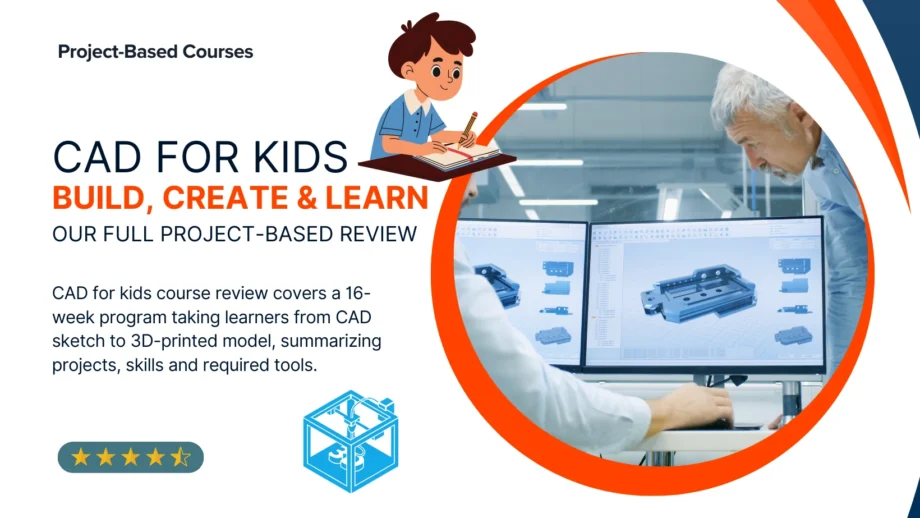
CAD for kids course review covers a 16-week program taking learners from CAD sketch to 3D-printed model, summarizing projects, skills and required tools.
SHARE

Learning sticks when kids can touch it. That’s the big idea behind CAD for Kids – Intro to 3D Design & 3D Printing, a 16-week, project-based course that guides elementary and middle-school learners from their first digital sketch to a real-world 3D-printed object. Whether you’re a homeschooling parent hunting for a structured STEM program or a young maker eager to turn imagination into physical models, this review breaks down exactly what your child will build, the skills they’ll master, and how the course stacks up in 2025’s crowded ed-tech landscape. Expect an honest look at the projects, pacing, and practical takeaways—no fluff, just the facts you need to decide if it’s the right fit for your budding designer.
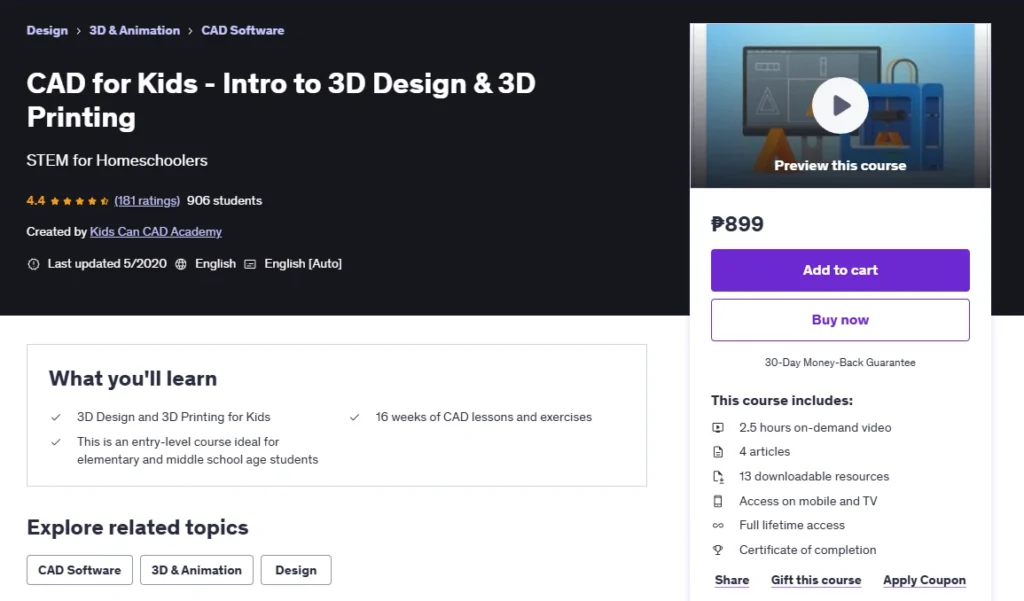
Table of Contents
🧰 Course Snapshot🧪 What You’ll Build or Create📚 Learning Experience & Skills Gained✅ What’s Great About It⚠️ Things to Know Before You Enroll🎯 Who Should Take This Course?🗣️ What Students Are Saying🧠 Final Thoughts & Verdict👉 Take the Course on Udemy: Enroll HereFAQs
CAD for Kids - Intro to 3D Design & 3D Printing

🧰 Course Snapshot

InstructorKids Can CAD Academy (Jenny Lineberger, P.E.)
PlatformUdemy (on-demand, mobile-friendly)
Total Duration2 h 35 m video + 16 weeks of guided exercises
FormatBite-size videos, step-by-step PDFs, downloadable project files, lifetime access
Tools NeededAny internet-connected computer, free browser-based CAD software, optional home 3D printer (or local print service)
Ideal LearnersAges 9-13, homeschoolers, after-school STEM clubs, parents seeking screen-time that teaches

🧪 What You’ll Build or Create

The curriculum revolves around six escalating lessons, each paired with a hands-on exercise that transforms abstract CAD commands into tangible mini-projects your child can proudly show off. Early sessions focus on mastering primitives—cubes, cylinders, and spheres—culminating in a custom key-tag that reinforces precision alignment and basic filleting. Midway, learners design a personalized phone stand, practicing dimension constraints and stability analysis.

Lessons 4 and 5 shift to multicomponent assemblies: students model an interlocking puzzle cube where tolerances matter, then a desk-organizer tray that introduces fillets, chamfers, and export settings for fast FDM printing. Each exercise builds directly on the last, so skills compound without cognitive overload.

The capstone week flips the script: students brainstorm, sketch, and fully prototype an original object—anything from a custom game token to a miniature planter. Through the “Imagine → Design → Create” pipeline, they generate STL files, slice them, and watch a virtual (or real) printer bring ideas to life. By course’s end, most learners will have a five-item portfolio plus a unique signature project—ideal evidence for science-fair entries or digital art showcases.


📚 Learning Experience & Skills Gained

Kids Can CAD’s delivery style is brisk but friendly. Each concept video (3–17 minutes) combines live screen-sharing with voice-over explanations and on-screen keyboard cues—great for visual learners who need to see every mouse movement. Downloadable PDFs recap shortcuts, while quick quizzes reinforce vocabulary (extrude, align, tolerance).

Hard skills:

  • Navigating browser-based CAD workspaces
  • Sketching 2D profiles and extruding to 3D solids
  • Applying modifiers (fillet, chamfer, shell)
  • Exporting STL/OBJ and understanding slicer basics
  • Interpreting layer height, infill, and supports for FDM & resin workflows

Soft skills:

  • Design thinking & iteration loops
  • Spatial reasoning and measurement reading
  • Time management via weekly milestone checklists
  • Problem-solving under real-world constraints (material limits, printer bed size)

Short reflection prompts (“What would you tweak next time?”) nurture critical thinking, while optional challenge tasks extend learning for faster students without overwhelming newcomers. Parental guidance isn’t mandatory, but a quick weekly check-in helps younger kids stay on track.


✅ What’s Great About It

  • Hands-on from Day 1: Every lesson ends with a printable file—motivation baked in.
  • Kid-centric pacing: 5- to 15-minute chunks fit short attention spans.
  • Future-proof skills: CAD literacy translates to engineering, architecture, and game design.
  • Community impact: Scholarship partnerships funnel part of each enrollment into library printer donations.

⚠️ Things to Know Before You Enroll

  • A stable internet connection and mouse make modeling far easier than a trackpad.
  • Without a home printer, you’ll need a local makerspace or online print service to produce models (expect small fees).
  • The course favors applied practice; theory-only learners might crave deeper math or history of CAD.

🎯 Who Should Take This Course?

  • Homeschool families building a 16-week STEM track with measurable outputs.
  • After-school club facilitators needing ready-made lesson plans and printable worksheets.
  • Young tinkerers (ages 9–13) who love Minecraft or Lego and want to level up to “real” design tools.
  • Parents in tech fields looking to share a passion project with their kids on weekends.

🗣️ What Students Are Saying

  • “I had a blast turning my ideas into real prints—even though I’m a fast learner, the projects still challenged me in the best way.”
    — Brian D., 5-star rating (8 months ago)
  • “Some parts were tougher than I expected and the pace is quick, but I’m definitely learning a lot.”
    — Jennica H., 3.5-star rating (10 months ago)
  • “Designing in Tinkercad was so much fun—pretty much anything I imagined, I could build and print.”
    — Yvinap Y., 5-star rating (4 years ago)
  • “We already knew the basics, so we followed along without pausing. It felt great to work independently and still keep up.”
    — Shyam G., 4-star rating (4 years ago)

Across more than 180 student reviews, the course averages 4.4 out of 5 stars. Most learners praise its hands-on approach and quick wins (“printable after every lesson”), while a few note the fast pace—suggesting younger students may benefit from adult guidance during trickier exercises. Overall, parents and kids alike highlight the satisfaction of watching digital models become real-world objects, calling the program “fun,” “engaging,” and “a great intro to engineering mindset.”


🧠 Final Thoughts & Verdict

CAD for Kids delivers exactly what it promises: an accessible on-ramp to 3D design that ends with a shelf full of student-made objects. The progressive project ladder keeps motivation high, while the final open-ended capstone sparks creativity. For families seeking an engaging, device-time-with-purpose alternative, it’s well worth the modest time (≈2–3 hours/week) and cost.


👉 Take the Course on Udemy: Enroll Here


Affiliate Disclosure: This article contains affiliate links. We may earn a small commission at no extra cost to you.


FAQs

Is this course suitable if my child has never touched CAD software before?

Absolutely. The lessons start with drag-and-drop basics and build skills step-by-step, so complete beginners won’t feel lost.

Do we need to buy a 3D printer to get value from the class?

No. Families can export the finished STL files and use a local makerspace or an online print service—perfect if you’re not ready to invest in hardware yet.

How much weekly time should we set aside for the projects?

Plan for about 2–3 hours per week: one hour of video and guided practice, plus optional time to refine and print each design.

What age range gets the most out of this program?

It’s designed for elementary to middle-school students (roughly ages 9–13), but motivated younger kids with parent help—or older students needing foundational skills—can also benefit.

Does the course include a certificate my child can show teachers or add to a portfolio?

Yes. Udemy issues a downloadable certificate of completion once all lectures are marked finished—great for homeschool records or STEM club portfolios.

What should we do after finishing the capstone project to keep learning?

Students can iterate on their final design, tackle community design challenges (e.g., Tinkercad contests), or move on to intermediate CAD courses that cover assemblies and mechanical constraints.

TAGGED:3D printing course reviewbeginner 3D designCAD for kidsFeaturedproject-based learningRecommended PicksSTEM homeschool
Share This Article
Facebook Twitter Pinterest Whatsapp Whatsapp LinkedIn Reddit Telegram Email Copy Link Print

Launching something like this?

If you're working on a product, platform, or business, I design fast, SEO-structured WordPress websites built for real results..

Start Your Project
100+ websites built • 15+ years experience

Stay Up To Date!

Sign up for 3DShoes.com's mailing list where you will stay up-to-date with latest trends, drops, and more.

loader

Website Help

Need a website for your project?

I build clean, fast, SEO-structured WordPress websites for real business results.

Start Your Project
100+ websites built • 15+ years experience

Trending

Syntilay Pushes Custom Fit 3D Printed Shoes Through Times Square Retail
April 19, 2026
Close-up of a blue WAZP METIS 3D printed shoe worn outdoors on dark rocky ground under a cloudy sky.
WAZP Opens 3D Printed Footwear System for On-Demand Brand Selling
June 7, 2026
Fontos 3D printed Shoes
Independent Makers Advance 3D Printed Shoes Through Multi-Material Engineering
July 9, 2026
The Zellerfeld HERON01 is releasing again this week. Via Zellerfeld
Heron Preston Revives 3D Printed Sneaker With Zellerfeld HERON01 Release
June 27, 2026

3D Printed Shoes →

3D Printing Companies →

Topics

  • Innovation
  • Design
  • News
  • Guides
  • Products
Follow 3DShoes on LinkedIn

Affiliate links on 3DShoes may earn us a commission. Learn more.

Innovation & Trends

AI Designs Custom Foot Orthoses in Minutes Through New Closed-Loop 3D Printing Research

3D visualization of an AI-designed custom foot orthosis showing a digital foot scan, lattice insole structure, biomechanical pressure map, and 3D printing process.

Artificial intelligence is increasingly being applied to footwear design, but can it meaningfully reduce the time required to create personalized orthotic devices? New research suggests AI custom foot orthoses could…

August 4, 2026 Innovation & Trends

Your may also like!

APTHCRY Mule - APTHCRY
Sneaker Buying

APTHCRY Mule × Zellerfeld — Is $149 Worth It?

RK October 14, 2026
Mars Mellow Slide - trip - trapped in paradise
Sneaker Buying

Mars Mellow Slide × Zellerfeld — Is $149 Worth It?

RK October 14, 2026
Hezi Slide - Khamis Studio | 3D printed Shoes | zellerfeld
Sneaker Buying

Khamis Studio Hezi Slide — Is the $119 Price Worth It?

RK October 14, 2026
Havaianas x Zellerfeld 3D printed Top Toe Mule, official launch photograph by HickDuarte
Sneaker Buying

Havaianas × Zellerfeld Top Toe Mule — Is $119 Worth Waiting For?

RK October 14, 2026

Editor's Shoe Picks

👟 Everyday Pick
🏃 Running Favorite
🚶 Walking Comfort
🌿 Minimalist Choice
🥾 Trail Adventure
💎 Premium Performance
Product
Nike Men's Air Force 1 '07 Sneaker
Brooks Men's Ghost 15 Neutral Running Shoe
Skechers Women's Go Walk Joy Upturn Sneaker
WHITIN Men's Wide Barefoot Sneakers for Optimal Relaxation W81
Merrell Men's Moab 3 Hiking Shoe
Hoka Womens Clifton 10
Image
Nike Men's Air Force 1 '07 Sneaker
Brooks Men's Ghost 15 Neutral Running Shoe
Skechers Women's Go Walk Joy Upturn Sneaker
WHITIN Men's Wide Barefoot Sneakers for Optimal Relaxation W81
Merrell Men's Moab 3 Hiking Shoe
Hoka Womens Clifton 10
Price
$100.99
$54.98
$42.99
$116.43
$159.99
More information
Buy on Amazon
Buy on Amazon
Buy on Amazon
Buy on Amazon
Buy on Amazon
Buy on Amazon
👟 Everyday Pick
Product
Nike Men's Air Force 1 '07 Sneaker
Image
Nike Men's Air Force 1 '07 Sneaker
Price
$100.99
More information
Buy on Amazon
🏃 Running Favorite
Product
Brooks Men's Ghost 15 Neutral Running Shoe
Image
Brooks Men's Ghost 15 Neutral Running Shoe
More information
Buy on Amazon
🚶 Walking Comfort
Product
Skechers Women's Go Walk Joy Upturn Sneaker
Image
Skechers Women's Go Walk Joy Upturn Sneaker
Price
$54.98
More information
Buy on Amazon
🌿 Minimalist Choice
Product
WHITIN Men's Wide Barefoot Sneakers for Optimal Relaxation W81
Image
WHITIN Men's Wide Barefoot Sneakers for Optimal Relaxation W81
Price
$42.99
More information
Buy on Amazon
🥾 Trail Adventure
Product
Merrell Men's Moab 3 Hiking Shoe
Image
Merrell Men's Moab 3 Hiking Shoe
Price
$116.43
More information
Buy on Amazon
💎 Premium Performance
Product
Hoka Womens Clifton 10
Image
Hoka Womens Clifton 10
Price
$159.99
More information
Buy on Amazon

NEWSLETTER

Stay Updated on 3D Footwear Innovation

Get the latest insights, breakthroughs, and industry updates delivered to your inbox.

loader

No spam. Just relevant industry updates.

3D Shoes

3DShoes tracks the evolution of 3D-printed footwear—covering design, technology, and manufacturing to help make sense of where the industry is heading.

Hostinger Partner, visit my referral page

Quick Links

  • 3D Printed Shoes
  • 3D Companies
  • About
  • STL Files
  • Buy Shoes

Legal

  • Privacy Policy
  • Cookie Policy (EU)
  • Disclaimer
  • Terms & Conditions
  • Contact

Socials

Our website stores cookies on your computer. They allow us to remember you and help personalize your experience with our site. Read our privacy policy for more information.

© 2026 3DShoes – All Rights Reserved. Hosted & Developed by PixelCrafted.Dev.

Manage Consent
To provide the best experiences, we use technologies like cookies to store and/or access device information. Consenting to these technologies will allow us to process data such as browsing behavior or unique IDs on this site. Not consenting or withdrawing consent, may adversely affect certain features and functions.
Functional Always active
The technical storage or access is strictly necessary for the legitimate purpose of enabling the use of a specific service explicitly requested by the subscriber or user, or for the sole purpose of carrying out the transmission of a communication over an electronic communications network.
Preferences
The technical storage or access is necessary for the legitimate purpose of storing preferences that are not requested by the subscriber or user.
Statistics
The technical storage or access that is used exclusively for statistical purposes. The technical storage or access that is used exclusively for anonymous statistical purposes. Without a subpoena, voluntary compliance on the part of your Internet Service Provider, or additional records from a third party, information stored or retrieved for this purpose alone cannot usually be used to identify you.
Marketing
The technical storage or access is required to create user profiles to send advertising, or to track the user on a website or across several websites for similar marketing purposes.
  • Manage options
  • Manage services
  • Manage {vendor_count} vendors
  • Read more about these purposes
View preferences
  • {title}
  • {title}
  • {title}
Stay Up To Date!

Sign up for 3DShoes.com's mailing list where you will stay up-to-date with latest trends, drops, and more.

loader

Zero spam, Unsubscribe at any time.
Welcome Back!

Sign in to your account

Lost your password?